KaliteSAN Audit Application
A browser-based application for digital audits, reporting and action tracking in food safety, hygiene and operational quality — from the finding on site to the corrective action and its approval, in one flow.
The audit was done. The follow-up was the hard part.
KaliteSAN runs recurring audits across multiple sites and branches. Each visit produces a scored assessment, findings, photos and a report — and then the harder part: making sure every finding reaches the people responsible, is planned, evidenced and closed.
Spread across documents, spreadsheets and messages, that follow-up is easy to lose. The aim was one place where the audit, the report and the corrective action stay connected.
Where audit follow-up usually breaks down
- Findings, photos and reports kept in separate files
- No single view of which corrective actions were open, overdue or approved
- Reports put together separately after each visit
- Little visibility of results by site, branch or period
What the application needed to do
- Record the audit step by step on site, on a phone or a laptop
- Keep findings and photos with the audit they belong to
- Produce the report straight from the audit record
- Turn each non-conformity into an action that is tracked until it is approved
From audit to action, in one web application.
The application runs in the browser on desktop and mobile, with separate screens for auditors, quality managers and branch managers. Today it is used for mystery-shopper and branch audits; the screens on this page come from that set-up.
What the application does today (October 2026)
- Recording the audit on site. The auditor works through a sectioned checklist on a phone or laptop, marks each item compliant, non-compliant or not applicable, and writes a note for every finding.
- Keeping the evidence with the finding. Photos and attachments are stored with the audit and carried into the report, so a finding and its evidence stay together.
- Checking the audit before it is final. An audit moves from draft to pending approval and can be returned for revision before it is approved.
- Producing the report from the record. The audit report, the action plan and the overall evaluation report are generated as PDFs in the browser, ready to preview, download or share.
- Following each action to approval. Every non-conformity becomes an action with a task, a due date and an evidence note; the quality team approves it or sends it back, and the history stays on record.
- Seeing results over time. Results and monthly trends by branch and period, alongside a monthly calendar for planning the next audits.
How we worked
- The application was developed jointly, combining KaliteSAN's audit expertise with Caglar's application development work.
- The application has evolved through frequent, small releases.
- KaliteSAN runs the application and its infrastructure.
- Next set-ups — for audit firms and specialists, or for food businesses following their own processes — are scoped project by project, not sold as ready-made modules.
Application Screens
The interface is in Turkish; captions describe each screen in English.
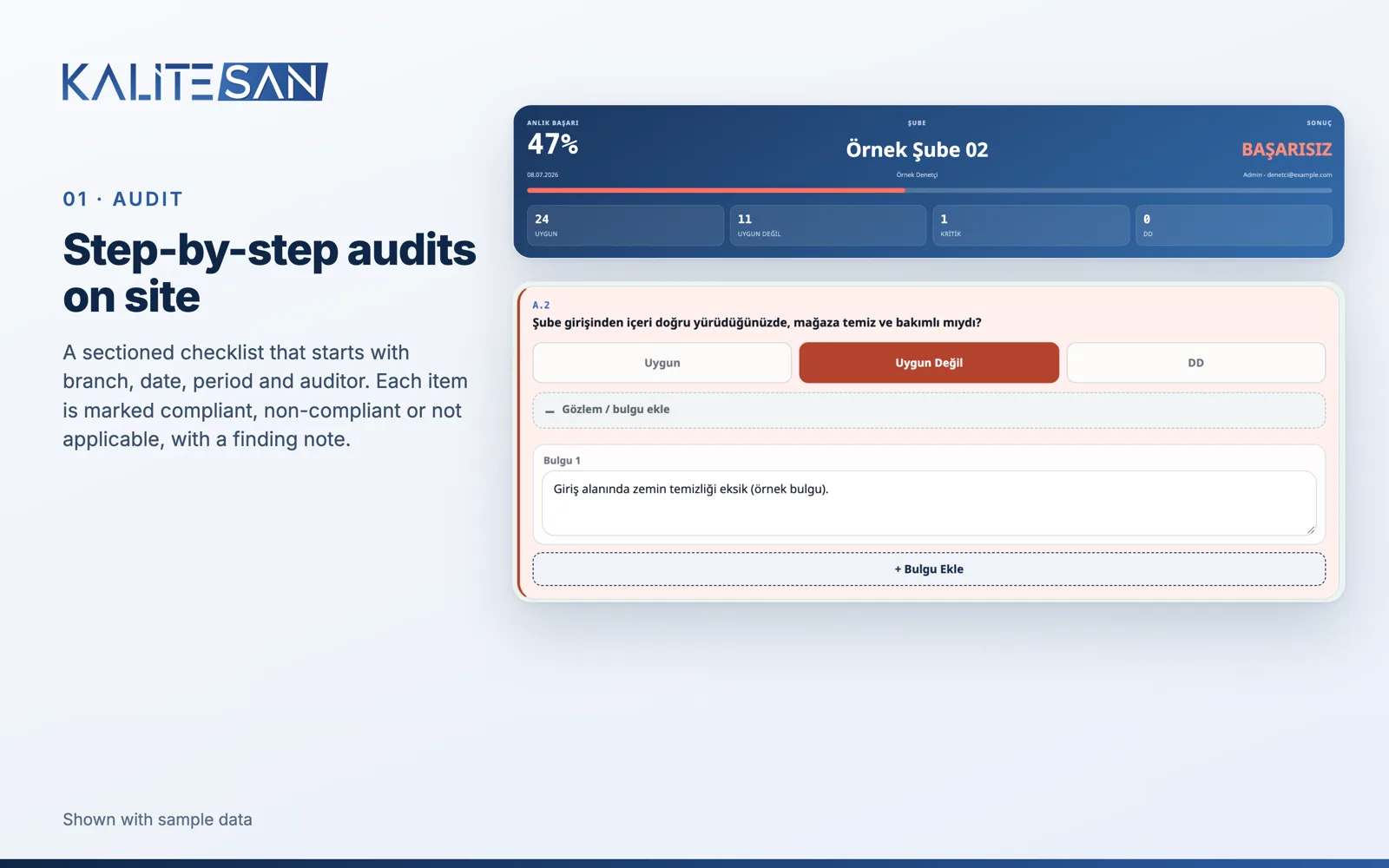
Audit — a non-compliant item with its finding note
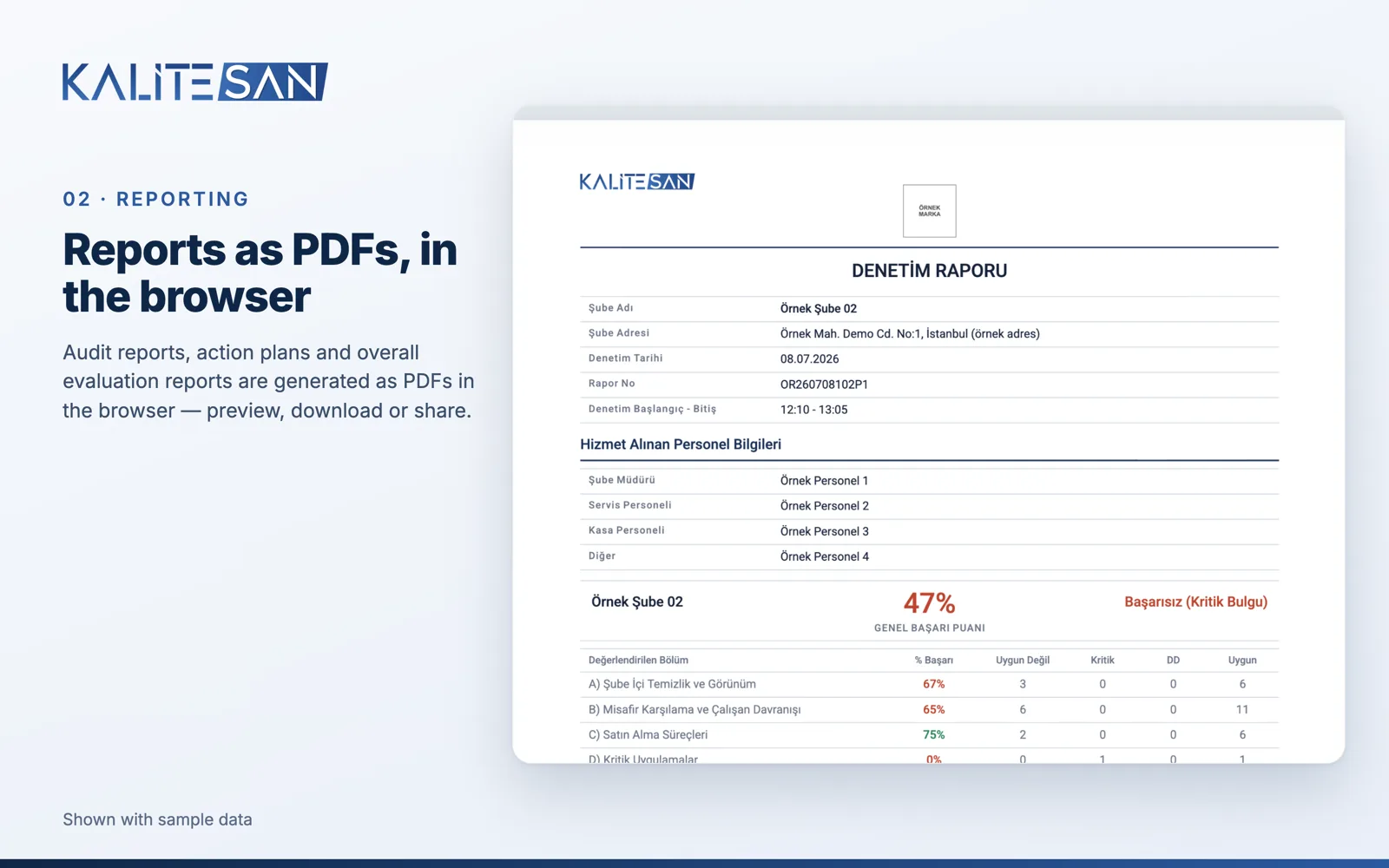
Reporting — audit report as a PDF
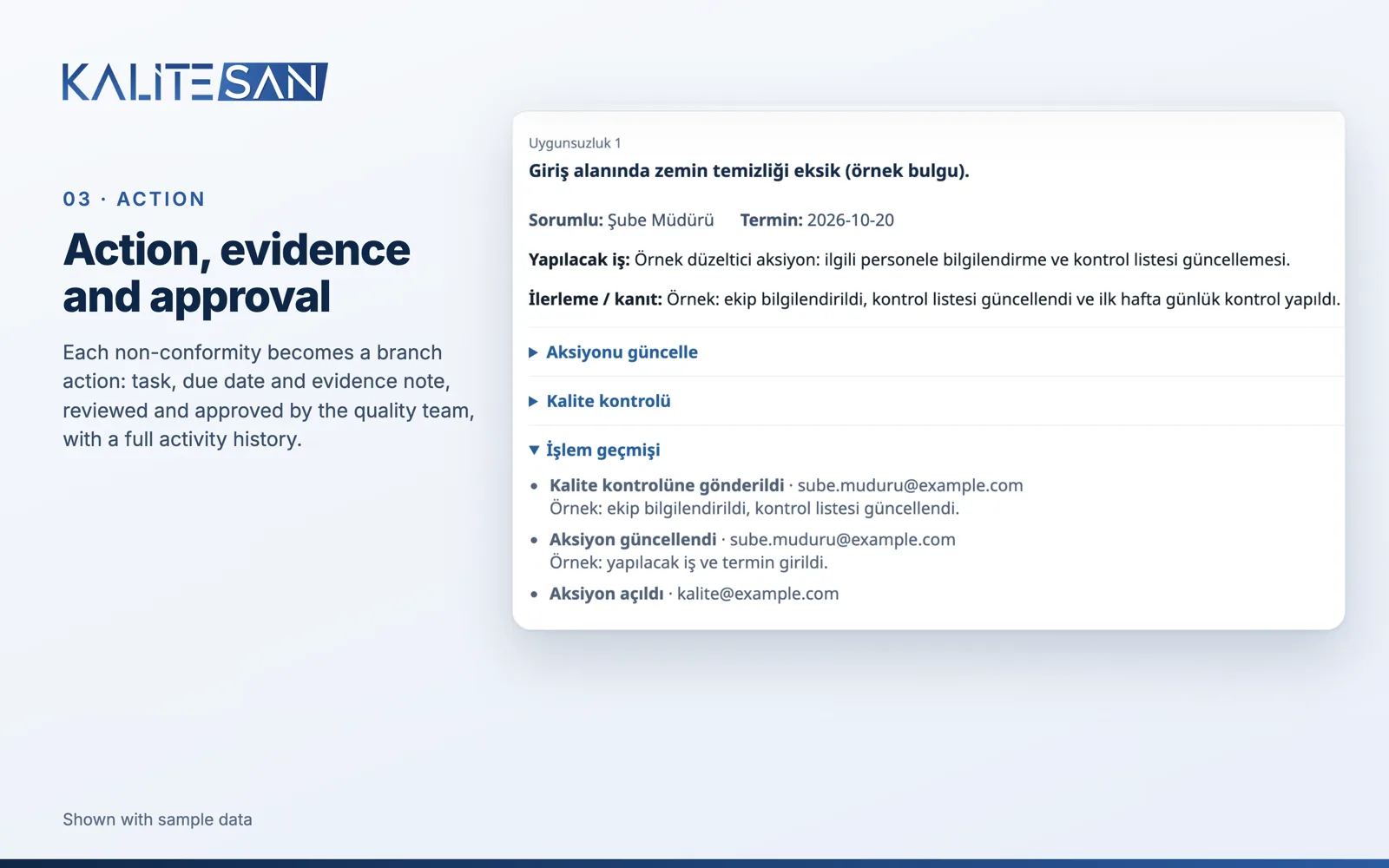
Action — evidence, quality review and history
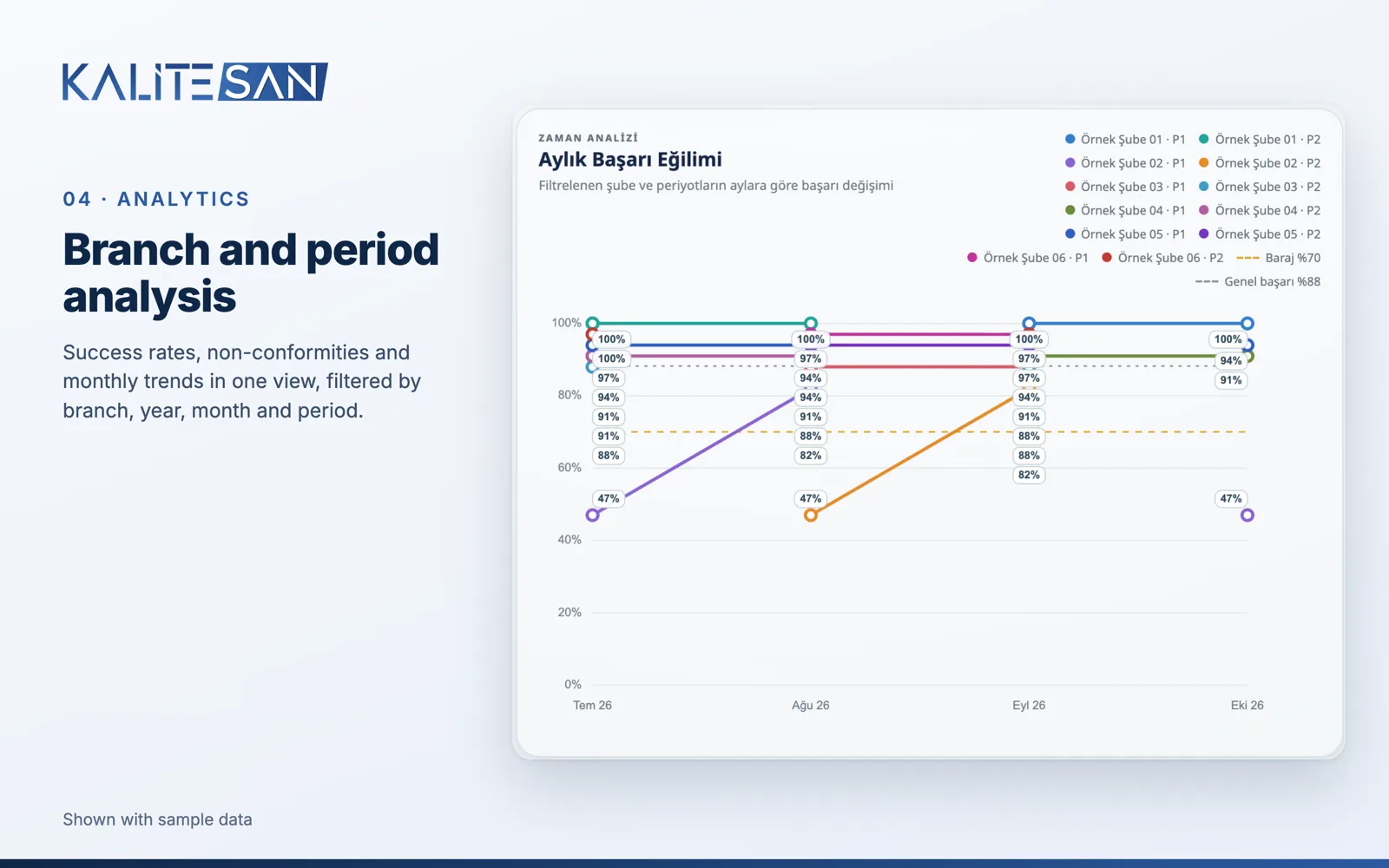
Analytics — results by branch and period
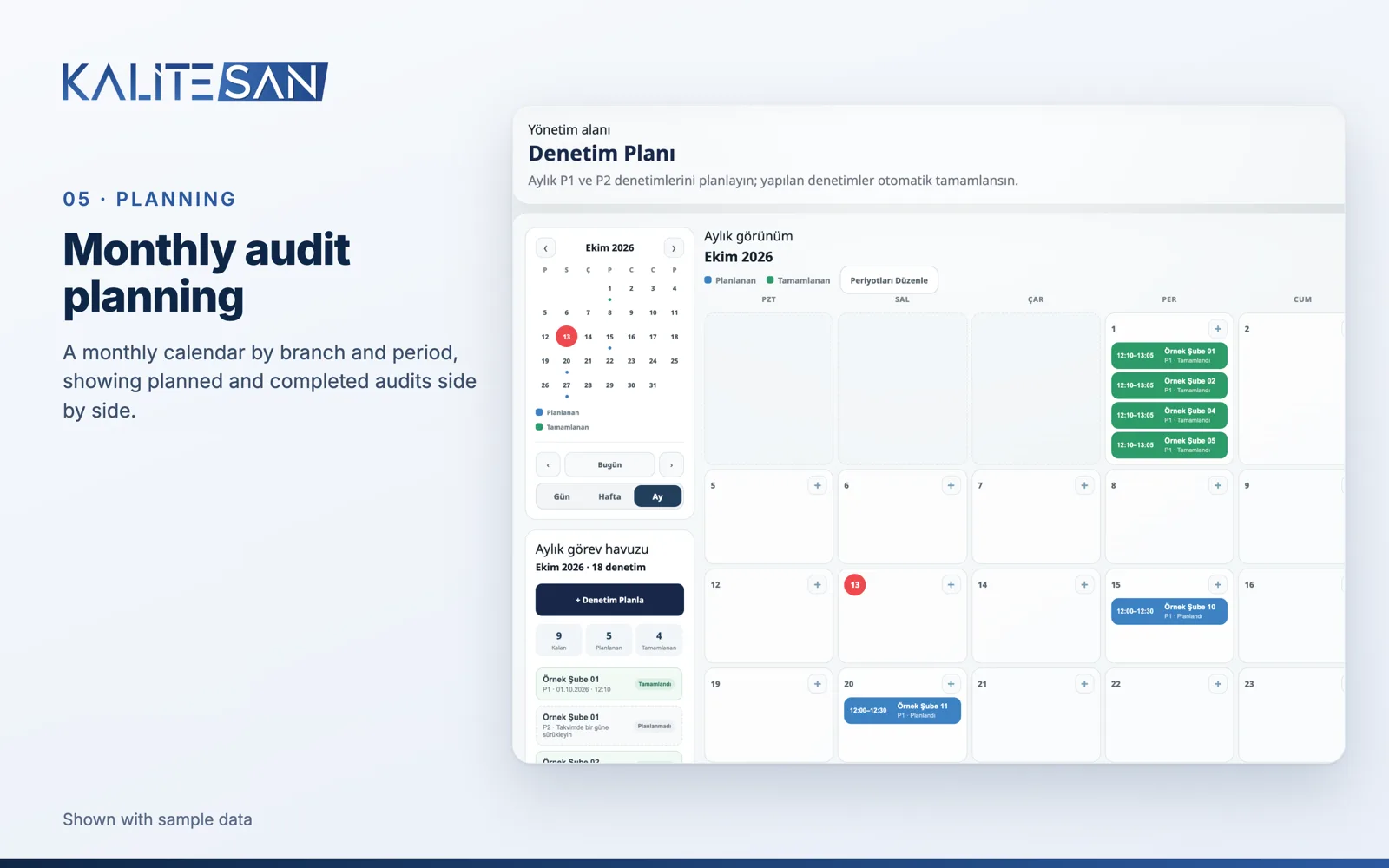
Planning — monthly audit calendar
What this case study represents
This is a real application, developed together with KaliteSAN and in use today. The branch, staff and result information shown in the screenshots is sample data.
I also rebuilt KaliteSAN's bilingual website — see the KaliteSAN website case study. For your own process, see custom web applications.
Running audits, reports or follow-ups on spreadsheets and paper?
Tell me how the work runs today. We'll look at whether a custom web application is the right next step.